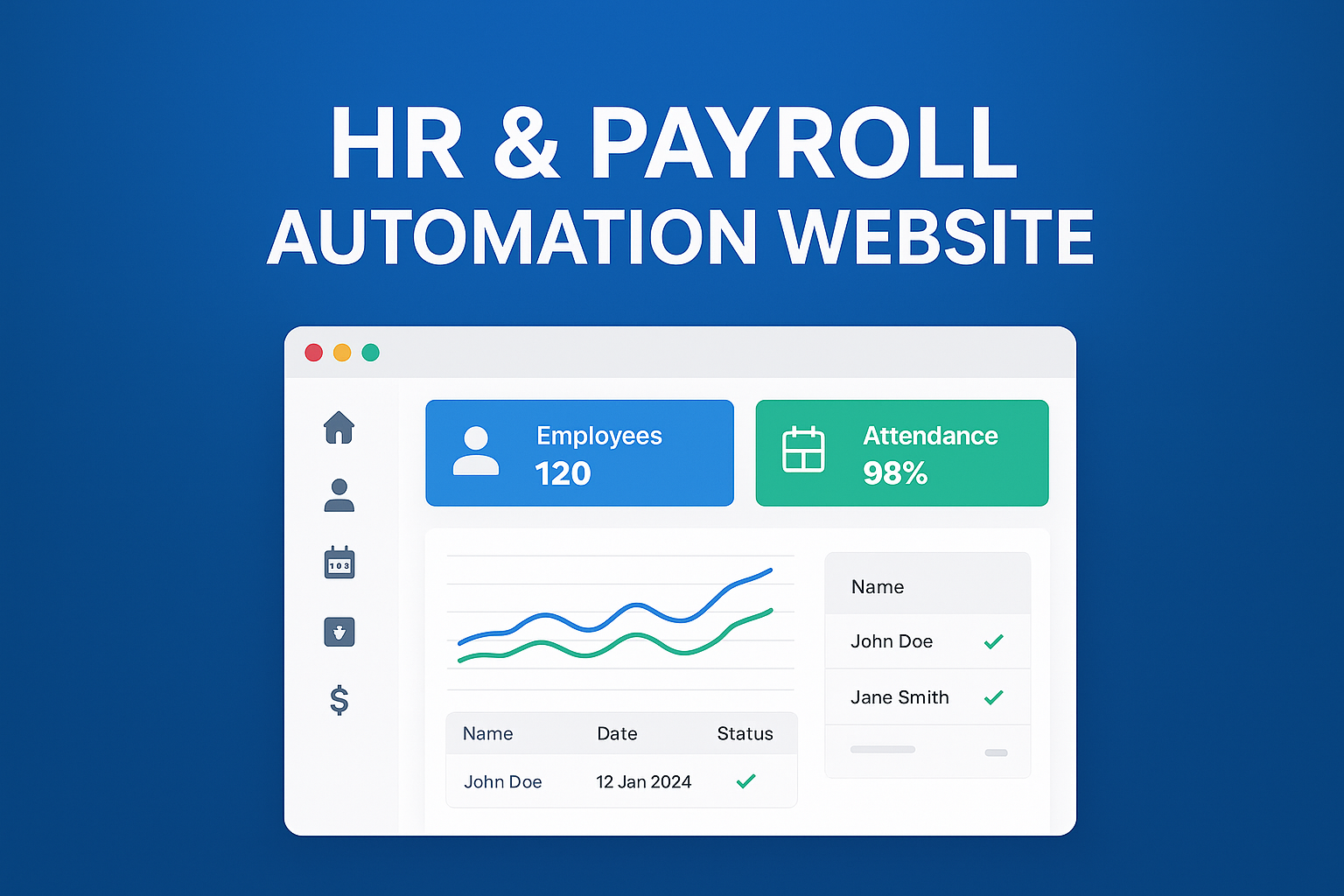
How to Build a Profitable HR & Payroll Automation Website: Complete Step-by-Step Guide
In every growing business—whether a startup, SME, or enterprise—HR operations become increasingly complex. From maintaining employee records to calculating salaries, approving leaves, handling attendance, and ensuring compliance, HR teams spend countless hours managing repetitive tasks. This is where an HR & Payroll Automation Website steps in, offering a modern, digital, and streamlined solution to simplify everything.
Today, HR automation isn’t a luxury. It’s a necessity.
Businesses worldwide are shifting from manual processes to intelligent automation platforms that reduce workload, eliminate errors, and boost productivity. If you’re planning to build a profitable HR & Payroll Automation Website, this guide explains every detail—from structure to development to monetization.
Understanding the HR & Payroll Automation Concept
An HR & Payroll Automation platform is a web-based system that companies use to manage:
Employee records
Attendance tracking
Payroll calculations
Salary slips
Tax management
Leave management
Recruitment and onboarding
Performance evaluation
Compliance and statutory filings
Your website becomes the central brain of an organization’s HR operations.
Why This Business Idea Is Profitable
Businesses prefer automated HR systems because:
Manual HR tasks waste time
Payroll mistakes cause financial losses
Attendance mismanagement leads to disputes
Companies need accurate data for decision-making
Remote work increased the need for cloud tools
Compliance requirements are getting stricter
This means huge market demand, especially from startups and SMEs.
Revenue potential is endless because you can sell:
Monthly subscriptions
Annual packages
Paid add-ons
Customizations
White-label services
Integrations with accounting or ERP software
Core Modules of an HR & Payroll Automation Website
To build a competitive solution, your website must include powerful modules.
1. Employee Management Module
Store and manage complete employee details:
Personal details
Department & designation
Joining details
Document uploads
Reporting structure
Digital ID card
2. Attendance Management
Automation features include:
Daily check-in / check-out
Biometric integration
Web-based attendance
Mobile location-based attendance
Auto attendance reports
OT (Overtime) calculations
3. Leave Management
Smart leave system:
Leave requests
Manager approval workflow
Leave balance auto-update
Holiday calendars
Leave policies
Automated notifications
4. Payroll Management
This is the most crucial part:
Auto salary calculation
Basic, HRA, allowances, deductions
PF, ESI, PT, TDS calculations
Monthly payroll run
Bulk salary processing
Bank transfer files
5. Salary Slip Generator
Generate downloadable documents:
Monthly salary slips
Pay statements
PF/ESI reports
Tax sheets
6. Recruitment & Onboarding
Add advanced features:
Job posting
Applicant tracking system (ATS)
Interview scheduling
Digital onboarding
Document collection
7. Performance & Appraisal Module
Employees can be evaluated through:
KPIs & KRAs
Goal-setting
Performance reviews
Appraisal cycles
Promotion workflow
8. HR Analytics & Reports
Show data insights:
Attendance trends
Salary analytics
Department productivity
Employee turnover rate
Dashboards & charts
9. Compliance Automation
Include statutory tools:
PF
ESI
Professional tax
TDS
Form-16
Statutory reports
10. Employee Self-Service Portal (ESS)
Employees can:
View payslips
Apply for leave
Mark attendance
Update personal details
Check announcements
Step-by-Step Process of Building an HR & Payroll Automation Website
Step 1: Market Research & Planning
Study:
Target audience (SMEs, corporate, HR agencies)
Competitors (Zoho People, Darwinbox, BambooHR, Keka)
Pricing strategies
Essential modules to build first
Step 2: Define Features & System Architecture
Create flowcharts for:
Attendance flow
Payroll cycle
Approval workflows
User roles (Admin, HR, Employee)
Step 3: Choose Your Tech Stack
Frontend:
React.js / Next.js
HTML, CSS, Tailwind
Bootstrap or custom UI
Backend:
Node.js / Django / Laravel
Microservices architecture (optional)
Database:
MySQL / PostgreSQL
MongoDB (for scalability)
Cloud Hosting:
AWS / DigitalOcean / Google Cloud
Integrations:
Razorpay (salary payout)
Biometric systems
Email & SMS notifications
Step 4: UI/UX Designing
Design clean, minimal, and professional screens:
Employee dashboard
HR panel
Attendance calendar
Payroll screens
Reports dashboard
Step 5: Development Phase
Build the modules one by one:
Phase 1 (Core Features)
Authentication
Employee management
Attendance
Leave
Payroll basics
Phase 2 (Advanced Features)
Performance
Recruitment
Analytics
Integrations
Step 6: Testing & QA
Check for:
Calculation accuracy
Login security
Data validation
Cross-browser compatibility
Real-world HR workflows
Step 7: Launch the Website
Release:
Free plan (to attract users)
Basic plan
Premium plan
Enterprise plan
Monetization Plan (How You Will Earn Money)
1. Subscription Model
Monthly or yearly plans:
₹999/month
₹1999/month
₹4999/month
2. Add-on Services
Recruitment tools
Advanced analytics
Custom modules
3. White-label Software
Sell to agencies with custom branding.
4. Custom Integrations
Charge for:
Biometric system integration
Accounting software integration
5. Implementation & Training
Charge corporates for onboarding.
Why This Business Grows Very Fast
Every company needs HR automation
Pandemic created remote HR needs
Payroll mistakes push companies toward automation
Subscription income brings steady revenue
Scaling is easy once the system is built
Your platform can become the next Keka, Zoho People, or BambooHR.
Final Thoughts
Building an HR & Payroll Automation Website is a powerful business opportunity with massive long-term growth. If you develop a clean, accurate, and user-friendly system, companies will trust your platform for years.
This business gives:
✔ Recurring income
✔ High scalability
✔ Corporate clients
✔ Huge demand
✔ Low operational cost
✔ Long-term sustainability